
Step 1: On the next business day, following the purchase of your Flex Plan, you will log into My Account Manager and click on “My Events” in the top menu bar.

Step 2: You will see 4 Event Vouchers on that page. Click “View Event Details” for the Voucher you’d like to exchange.

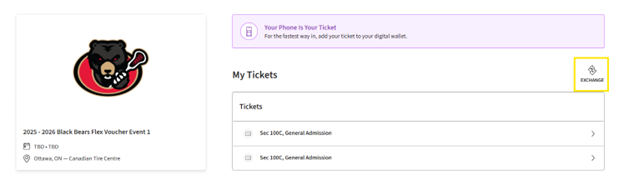
Step 3: You will be taken into the voucher and see the total number of packages and seating option selected. In this example, you can see 2 Flex Plans were purchased for 100 Centre. To select seats, click “Exchange”
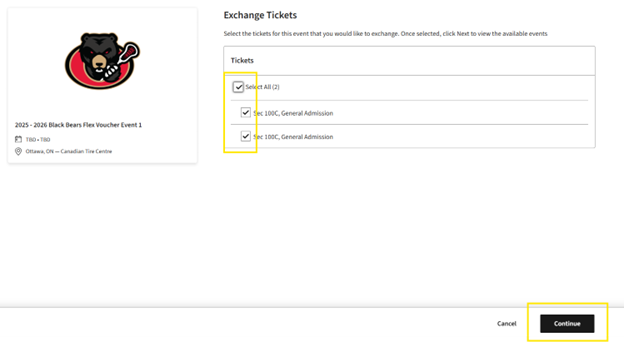
Step 4: Select the Tickets you wish to redeem. In this example, we have selected both vouchers. Then click “Continue” at the bottom of the screen.
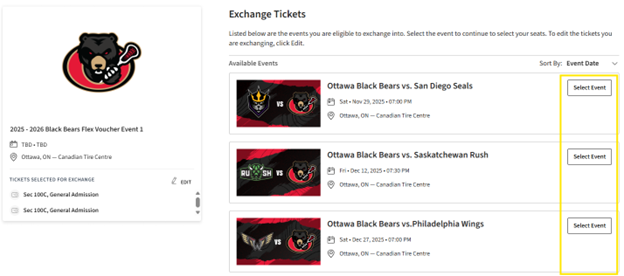
Step 5: You will be taken to the list of all Ottawa Black Bears home games. Please click “Select Event” of the game you would like to attend.
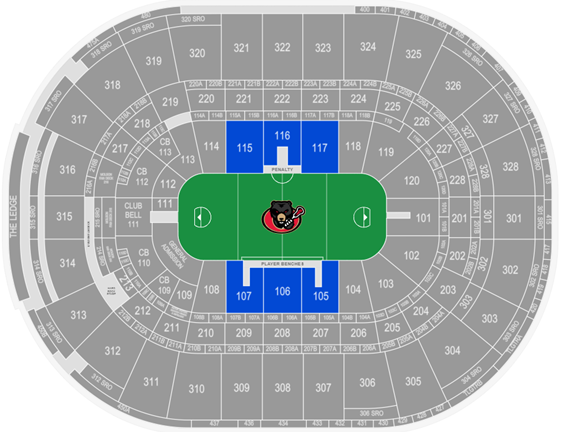
Step 6: You will be taken to a venue map showcasing the seating area your seats represent. Since the voucher being redeemed in this example is 100 Centre, only the 100 Centre sections are available for selection. Follow the typical flow you would to select seats to any event. Once you select your seats, your cart menu will pop out and you will hit “Continue”
Step 7: You will be taken to a Review page, showing you the transaction. You will see the game you have selected to attend and the voucher you exchanged. Review and confirm the details and click “Submit” on the right hand side.
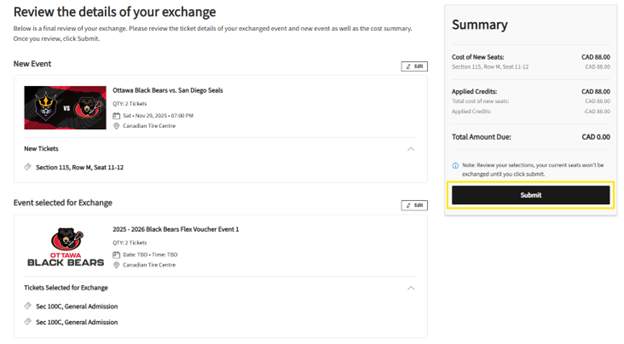
Step 8: To Complete the exchange, you will review and accept the Terms and Conditions and click “Place Order”
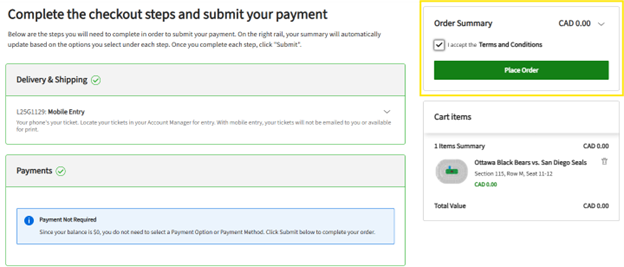
Step 9: You’re all set. We’ll see you at the game!